
Look at Long Tasks, slow animation frames and nearby DOM activity to see what happened during that time.
Separate browser extension v0.1.0
SpicyChat Inspector.
Find out what happened when SpicyChat gets slow.
Freezes, stuttering, long loading times, chat replies that seem stuck — Inspector records useful diagnostic signals so you can investigate the problem instead of guessing what's causing it.
Available on Chrome/Chromium and Firefox.
Private diagnostics lab
Inspector01PerformanceLong Tasks and slow frames
02Page changesDOM and message rendering
03ConnectionsRequests and failures
04QoL signalsOptional deeper checks
Records locally · Examine individual events · Export a sanitized report
What it's for
“It lagged.” Okay, but why?
A page can feel frozen for all sorts of reasons. Inspector gathers the clues and makes it easier to tell whether something happened in the browser, on the page, during a request, or around QoL activity.
Compare generation and rendering signals, including when a reply is delayed or can't confidently be matched.
Compare captures with QoL enabled and disabled. Inspector also identifies available QoL-related signals without assuming every slowdown is caused by the extension.
What Inspector records
More than a basic performance counter.
These are the main diagnostic areas. The details available vary by browser, page activity and the recording options you enable.
Performance and freezes
Long Tasks, long animation frames, blocking time, slow scrolling frames and available script details. Useful when things stutter or the page stops responding.
DOM and page activity
How much the page changes, mutation batches, mounted chat messages and periods of heavy rendering — including some measurements of Inspector's own overhead.
Network and loading
Request activity, failed requests, bursts, connectivity changes and other network signals. Helps spot when repeated requests or connection trouble are part of a problem.
Chat reply timing
Generation and visible-render timing checks, message-history loading and clearer reporting when the timing can't be confirmed instead of making up an exact number.
Errors and lifecycle
Page errors, visibility changes, navigation and other browser/page events. You can inspect what happened around a slowdown instead of viewing isolated numbers.
QoL-specific diagnostics
QoL version/compatibility signals and optional deeper internal traces for troubleshooting. Detailed QoL internals are off by default.
Inside Inspector
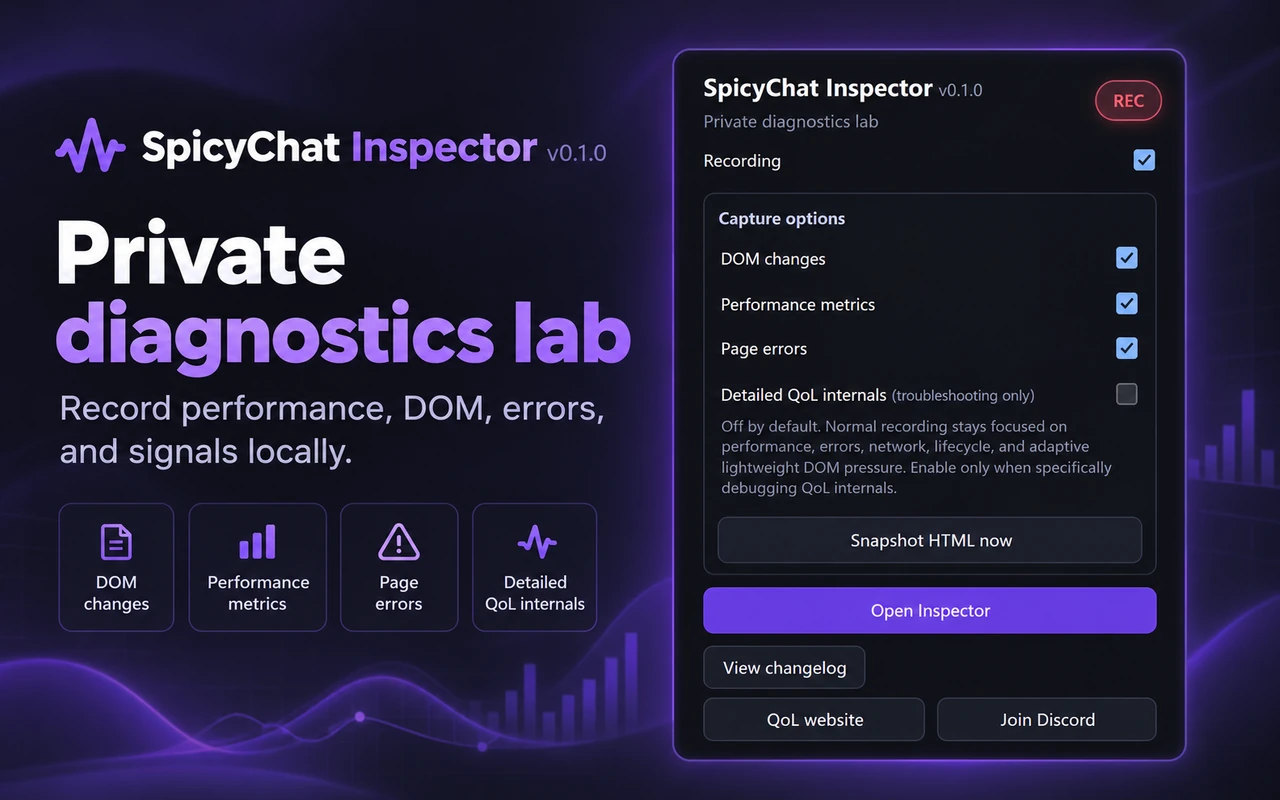
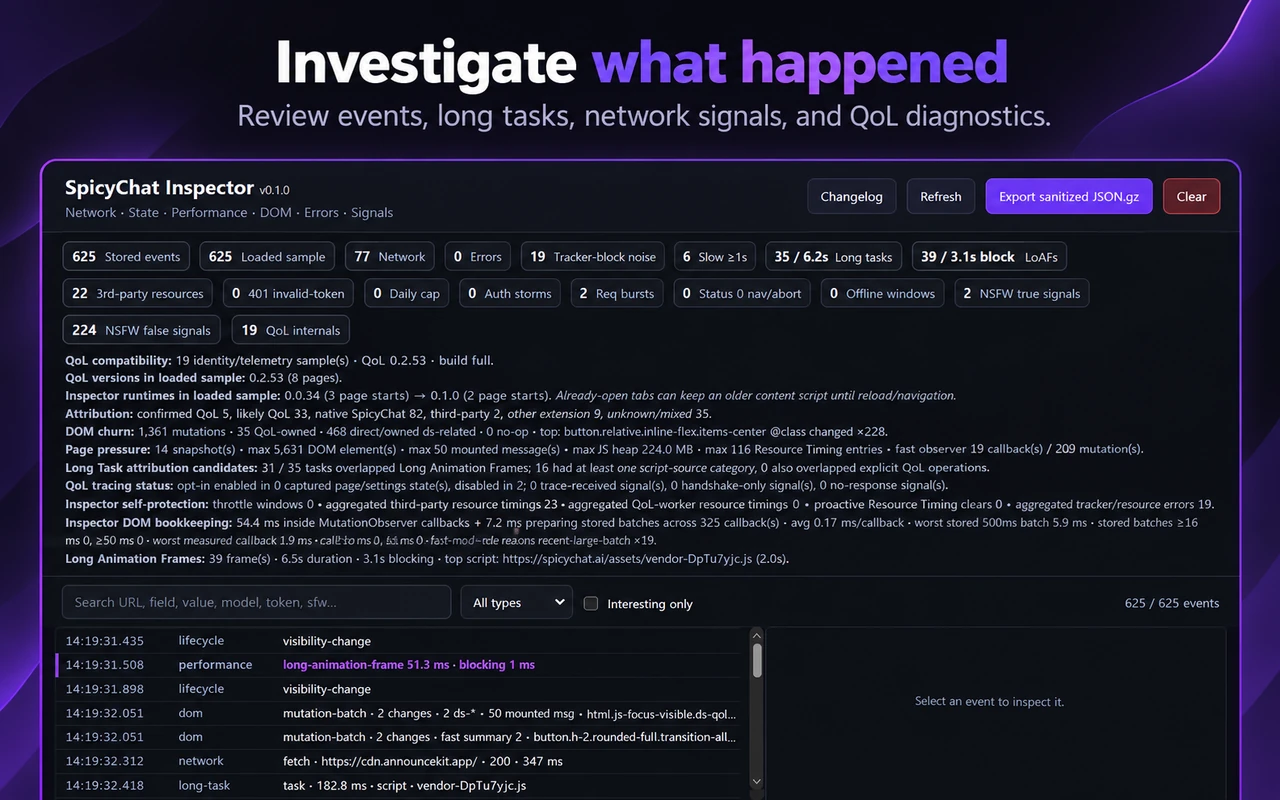
A recording panel and an event viewer.
These are real screenshots of the extension. Click either one to see the original layout at full resolution.
Getting started
Record the problem, then look at the timeline.
You don't need to understand every number. A short capture that includes the slowdown is much more useful than just saying a page felt slow.
- 1
Install Inspector
Install Inspector from the Chrome Web Store or Firefox Add-ons.
- 2
Start recording
Enable Recording and leave the capture options you need on. Detailed QoL internals can stay off for normal use.
- 3
Reproduce the issue
Go through the same steps that trigger the freeze, slow scroll, failed request or delayed reply.
- 4
Open Inspector
Browse the summary and event timeline, filter to a specific signal, and inspect what happened near the problem.
- 5
Export if needed
Save a sanitized
JSON.gzreport if you want help investigating. Review any diagnostic file before sharing it.
Privacy and limitations
Diagnostics should be useful without exposing your roleplay.
Inspector is built around local recording and a sanitized export. Recent releases improved redaction for Rulebook and Lorebook diagnostic data so authored text and keywords aren't included just to identify an issue.
That doesn't mean any diagnostic file is automatically safe to post publicly. It can still include technical details about your environment and requests, so check it before you share it with anyone.
Separate from SpicyChat QoL
Need to investigate a slowdown?
Inspector is a standalone diagnostic extension. You can use it to investigate regular SpicyChat behavior, or alongside QoL when comparing performance.